
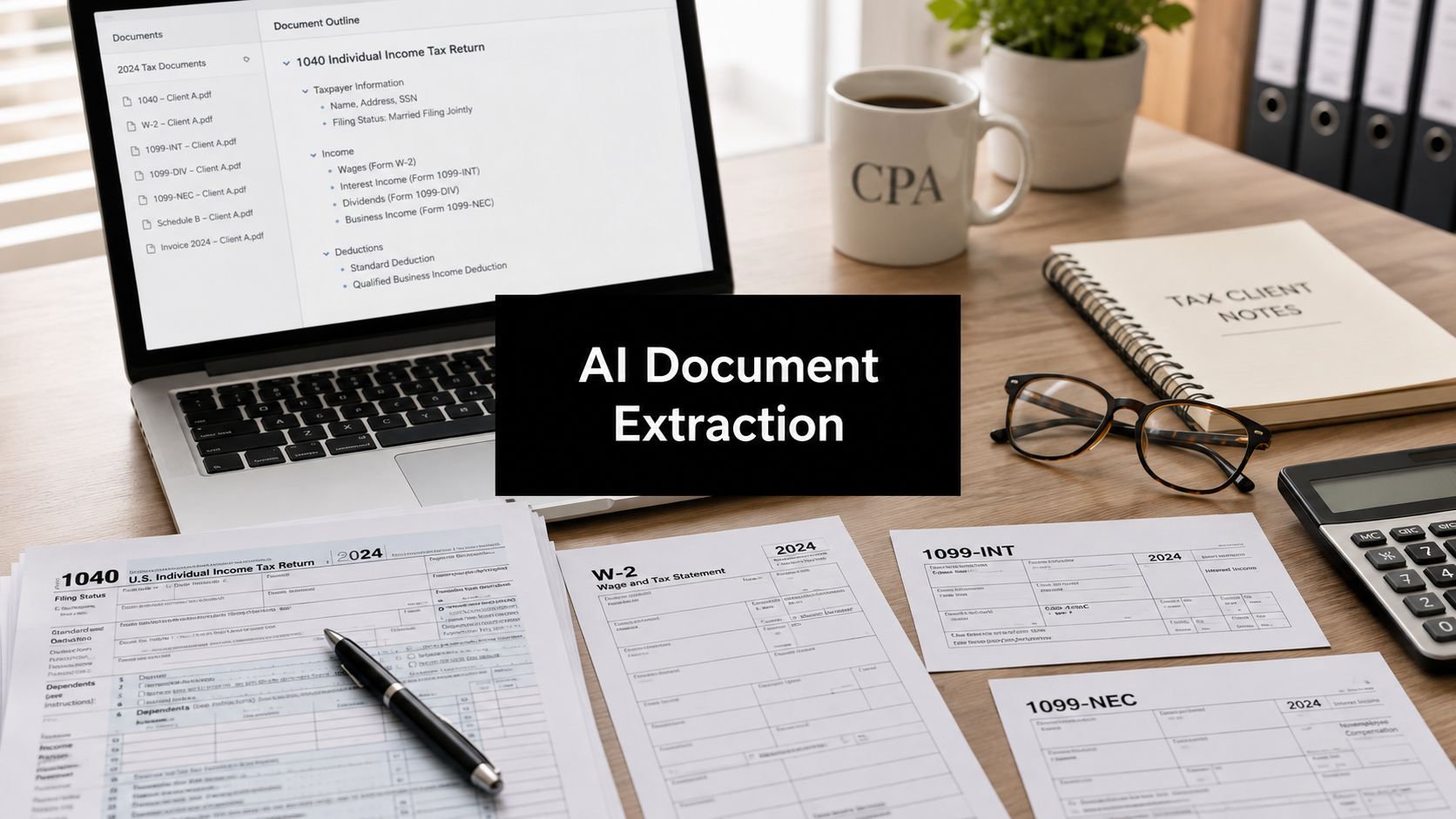
Busy season has a way of making smart people do tedious work. A senior reviewer is staring at a drafted 1040, a pile of brokerage statements, and a stack of 1099s, trying to prove that one decimal point, one missing dividend, or one misread basis figure didn't slip through before partner sign-off. This underscores why AI document extraction matters to CPA firms, it's not about novelty, it's about replacing the most error-prone part of tax prep with a workflow that can be checked, reconciled, and defended.
Table of Contents
- Beyond Manual Entry The AI Document Extraction Shift
- Understanding the Core Technology Behind the Magic
- From Document Intake to Audit-Ready Binder
- The Strategic Advantages and Practical Tradeoffs
- Integrating AI Extraction into Your Practice
- Choosing the Right AI Partner for Your Tax Firm
Beyond Manual Entry The AI Document Extraction Shift
The old process is familiar to anyone who's closed out a tax return at midnight. A preparer cross-checks a drafted return against source documents, a reviewer flags a suspected mismatch, and someone ends up manually hunting through PDFs for the exact page where a number lives. That kind of work burns time, but the bigger problem is that it creates a fragile control environment where accuracy depends on tired eyes and a good night's sleep.
AI document extraction changes the job by moving the firm from scanning to structured understanding. The shift from traditional OCR to intelligent document processing is why this category has matured so quickly, modern OCR on standard typed documents is reported at 99.5% accuracy, while AI-driven extraction on complex documents is commonly cited at 95–99%+ accuracy versus about 80% for traditional OCR, with the IDP market projected in one compilation to reach $4.31 billion by 2026 and another projecting $5.2 billion by 2028 (AI document processing statistics for 2026).
What changes for a tax team
The practical gain isn't just cleaner data entry. It's a different control point in the workflow, one that can validate source documents before the reviewer ever starts line-by-line comparison. That means fewer avoidable misses on income items, basis detail, and support schedules that usually get buried in a long client packet.
Practical rule: if the system can't show where a field came from, it hasn't solved the tax problem yet.
That's why firms shouldn't think about this as “better OCR.” The useful systems are the ones that help preparers, reviewers, and partners move from reading every page to resolving only the exceptions that matter. When that happens, the firm gets less rework, more consistency, and a cleaner paper trail for every return.
Understanding the Core Technology Behind the Magic
A good way to think about modern AI document extraction is to imagine training a new junior associate. First, you teach them to read the page. Then you teach them to understand what the words mean in context. After that, you teach them to get better with repetition and feedback. The technology stack works in much the same way.

OCR reads, layout analysis organizes
OCR is the reading layer. It converts the visible text into machine-readable content, which is valuable, but not enough for tax work. A brokerage statement with columns, subtotals, footnotes, and multiple transaction tables can be read correctly and still be misunderstood if the system doesn't know how the page is structured.
That's why modern extraction systems add layout analysis and schema-driven entity extraction on top of OCR. Google's Document AI describes extraction tools that can pull key-value pairs, tables, selection marks, and generic fields, and it also supports custom extractors with foundation-model, custom-model, or custom-template options for schema-based extraction (Google Document AI extraction overview). In plain English, the system needs to know not just what the words say, but what role they play in the document.
NLP and machine learning make the system useful
NLP is the understanding layer. On a tax form, “Gross Wages,” “Dividends,” and “Federal withholding” aren't just text strings, they're categories with accounting meaning. The model has to distinguish between similar-looking fields, infer context from labels and neighboring values, and map the result into the right place in your workflow.
Machine learning is the improvement layer. Every correctly reviewed return teaches the system more about the layouts and edge cases it will see again. That doesn't make it magic, and it doesn't remove review, but it does mean the system can become more useful as the firm's document set gets repeated exposure.
Here's the key distinction. OCR alone preserves characters. The full pipeline preserves semantics, which is what firms require when they're reconciling source data to a drafted return.
Text capture is a starting point. Tax workflow value begins when the system understands tables, fields, and document context.
From Document Intake to Audit-Ready Binder
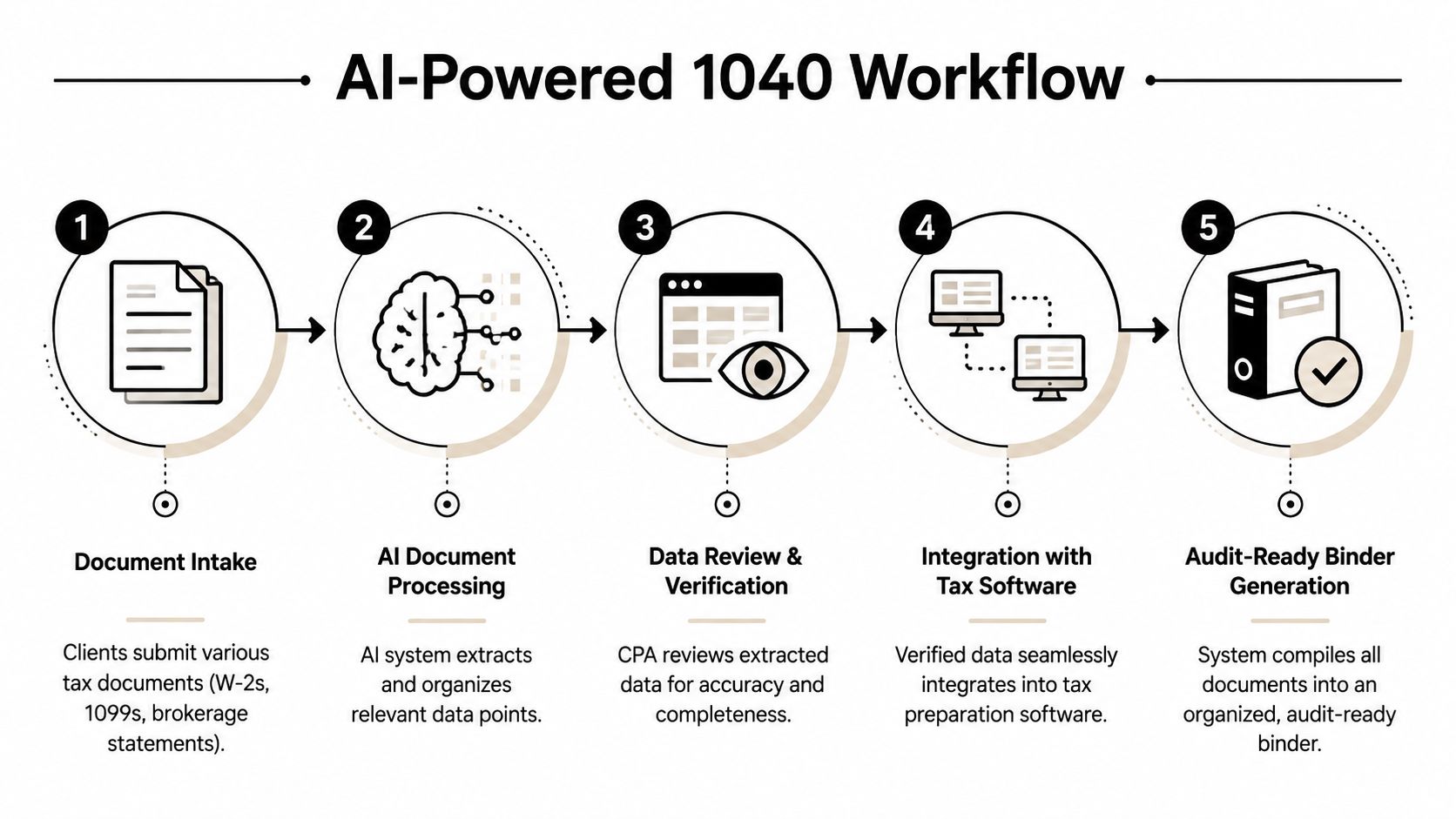
A 1040 engagement makes the lifecycle problem obvious. Client files arrive from multiple channels, sometimes neatly organized, sometimes not. The firm needs to get from intake to a return you can trust, and the gap between those two points is where most manual pain lives.
Secure intake and extraction
The first step is getting documents into a controlled workflow. W-2s, 1099-DIVs, brokerage statements, and supporting PDFs come in, then the extraction layer identifies the document type and pulls fields into a structured schema. The point isn't to push every page straight into tax software. The point is to create a reviewable data set that's tied back to source pages.
Validation before reconciliation
The control story for most firms is won or lost at this point. A useful system doesn't stop at extraction, because extraction accuracy by itself isn't enough for a regulated workflow. The more important design choice is whether each field can be traced back to its exact source region, which is why recent guidance distinguishes plain OCR or LLM pipelines from systems that preserve page coordinates and make outputs verifiable rather than just “high confidence” (verification and auditability in document analysis).
That matters in a tax workflow because a reviewer needs to see not only that the system found an amount, but also that the amount came from the right part of the statement and wasn't inferred from context. A clean validation interface should let the preparer correct exceptions, confirm matches, and move on without rekeying everything.
Practical rule: if the system can't produce a source-linked trail, it's not ready for review work in a CPA firm.
Reconciliation and final binder
The last step is reconciliation against the drafted return. Structured extraction proves operationally useful here, enabling the reviewer to focus on mismatches instead of re-reading every line. Once the exceptions are cleared, the firm can generate a binder that keeps the source documents, the annotated review path, and the sign-off history together.
For firms standardizing their workpaper process, the logic aligns with tax workpaper automation, because the key deliverable isn't just data capture, it's a workpaper package someone else can audit later without guessing what happened.
The Strategic Advantages and Practical Tradeoffs
A firm that uses AI document extraction well does not just move faster through source documents. It preserves reviewer judgment for the places where judgment matters, while reducing the routine transcription work that slows tax prep, complicates review, and creates avoidable inconsistency in controls.
Why the upside is real
The practical value shows up when a system can pull data from messy client files, route exceptions to a reviewer, and leave a usable trail behind it. That is why this category has moved into normal operating discussions rather than remaining a lab exercise, and why firms keep treating extraction as part of a broader control process instead of a standalone convenience.
For tax teams, the benefits are operational, not abstract.
- Less rekeying: preparers spend less time copying source data into the return.
- More standardization: the same review logic gets applied to every packet.
- Cleaner review cycles: reviewers focus on exceptions, not line-by-line duplication.
- Better staff morale: junior staff spend less time on dead-end data entry.
The strategic gain is not just speed. It is the ability to move the firm toward a process where the first pass is automated, the second pass is targeted, and the final review is traceable enough to support tax and audit work. That is also why firms comparing their document workflow to benefits of AI in audit often end up asking the same question, how much of the manual handling can be replaced without weakening control?
What doesn't disappear
Accuracy still depends on the quality of the source file and the complexity of the packet. Brokerage statements, mixed scans, and odd client formatting still create exceptions that someone has to review. The system is useful because it narrows the review scope and makes those exceptions visible instead of burying them in a pile of rekeyed pages.
Process discipline matters just as much. If the firm does not define what counts as a match, what gets flagged, and who clears discrepancies, the software becomes another screen to manage instead of a control improvement. Validation workflow is the real decision point, because it determines whether extracted data can be trusted, reconciled, and traced back to the source without guesswork.
A review process also has to support the final binder. If the team cannot see what was accepted, what was corrected, and who approved the final version, the file is harder to defend later. That is where the significant benefit sits, in a workpaper package that reflects the path from intake to reconciliation to sign-off, rather than just a clean output file.
Rule of thumb: buy extraction for the workflow you are willing to run every day.
The strongest setups use review by exception and keep the audit trail attached to the work product. If a vendor can read documents but cannot support validation, reconciliation, and later review, it may save keystrokes without improving how the return is controlled.
Integrating AI Extraction into Your Practice
The rollout should start with the firm's risk points, not with a product demo. Security, integration, and adoption all matter, but they matter in different ways, and the rollout fails when one of them gets ignored.

Security and compliance first
Start with document handling. Ask how files are encrypted, who can access them, how permissions are managed, and whether the vendor keeps a clear record of every action taken on a file. For a CPA firm, the issue isn't abstract cybersecurity theater, it's client confidentiality and defensibility.
If a vendor can't explain its access model in plain English, keep moving. Tax teams need systems that fit the firm's confidentiality posture, not platforms that create more questions than they answer.
Integration should reduce friction, not add another queue
The right workflow plugs into the systems the firm already uses. That means tax prep software, document management, and internal review steps all need to line up so the team doesn't end up downloading and re-uploading files by hand. If the extraction output can't move cleanly into the return review process, the promised efficiency gets lost in admin work.
The useful architecture here is a chain of extraction, validation, and handoff. Enterprise-oriented systems report 99%+ extraction accuracy with human-in-the-loop validation and processing speeds above 1,000 pages per hour per worker, which underscores that the bottleneck is usually validation and workflow design, not the first OCR pass (enterprise AI document processing features).
That finding lines up with what firms experience in practice. Throughput matters, but only if the review queue is designed correctly.
Train the staff for exception-based review
Staff adoption is mostly about habit change. Preparers need to stop thinking of themselves as data rekeyers and start thinking like reviewers of flagged exceptions. Reviewers need a way to inspect source pages quickly, confirm matches, and clear items without losing context.
A good rollout usually includes three habits.
- Define escalation rules: know which fields require mandatory review and which can pass through.
- Use real client documents: don't train on generic samples if the firm wants realistic behavior.
- Measure corrections: every fix should inform future setup and reviewer expectations.
The vendor list matters here too, and the implementation team should compare options against the firm's actual workflow rather than a feature checklist. A practical starting point is this AI automation companies directory, then filtering for firms that understand tax operations instead of generic document capture.
Choosing the Right AI Partner for Your Tax Firm
The wrong vendor will impress you in a demo and disappoint you in season. The right one will be boring in the best possible way, because it fits the documents, the controls, and the review rhythm of a real CPA practice.

What to test in a demo
Start with the forms your team handles every day. Ask the vendor to process W-2s, 1099s, K-1s, and brokerage statements from your actual archive, not clean sample PDFs. Then watch whether the tool can identify what matters, route exceptions cleanly, and keep the extracted field tied to the original source.
Your checklist should include five things.
- Form coverage: can it handle the documents your firm receives?
- Audit trail quality: does it preserve source traceability for every field?
- Review interface: can staff validate fast without losing context?
- Integration fit: does it work with your tax software and document system?
- Security posture: are access, retention, and permissions clear?
What separates a good partner from a decent tool
A decent tool extracts text. A good partner helps your firm prove what happened. That difference shows up when a reviewer needs to reconstruct why a figure was accepted, why another was flagged, and who signed off on the final binder.
If the vendor talks only about extraction accuracy and never about reconciliation, that's a warning sign. If it can't show how exceptions are handled, how source pages are preserved, or how review history is exported, it's not designed for regulated work. Firms should be looking for a workflow that helps them move from intake to review to final sign-off with a defensible record at each step.
The deepest value of AI document extraction in a tax practice isn't speed by itself. It's a cleaner control environment, where the return, the source documents, and the audit trail all line up. That's the standard a serious firm should hold.
If your firm is still managing 1040 review with disconnected PDFs, manual rekeying, and too much hope, it's time to tighten the workflow. Visit WP TieOut to see how a source-linked, review-by-exception process can fit into your tax season and give your team a cleaner path from intake to sign-off.