
Most advice about tax firm software starts in the wrong place. It tells CPA firms to replace the core tax engine, migrate every client, retrain every preparer, and hope the new platform fixes the review backlog. In practice, the calculation engine is often not the main constraint. The expensive bottleneck appears later, when a reviewer or partner compares source documents with a drafted return, investigates exceptions, documents the decision, and signs off under seasonal pressure.
A better approach treats the firm's stack as layers. Core preparation software handles forms and calculations. Practice management coordinates people, deadlines, documents, and client communication. A specialized validation layer checks whether the drafted return agrees with the evidence and preserves a review trail. That distinction matters because a firm can improve quality control without abandoning a stable preparation workflow.
The right purchase, then, isn't necessarily a replacement platform. It may be a focused tool that reduces line-by-line review, surfaces genuine discrepancies, and gives partners a defensible record of what was checked.
Table of Contents
- Rethinking the Tax Technology Stack
- Market Realities and Legacy Dominance
- Comparing Core Software Categories
- Critical Buyer Criteria for CPA Firms
- The AI Review Gap and Audit Trail Necessity
- Strategic Recommendations by Firm Profile
- Implementing New Tools Without Disrupting Season
Rethinking the Tax Technology Stack
Many firms begin modernization with a product comparison between major preparation engines. That's understandable. The core system touches every return, so a new interface can feel like the most visible path to improvement. But replacing it often moves the disruption to the front of the process while leaving the partner review problem intact.
A preparer may still receive W-2s, 1099s, brokerage statements, and prior-year data through disconnected channels. Someone still has to compare those documents with the draft, identify missing or inconsistent items, explain adjustments, and record approval. A faster calculation engine doesn't automatically create a reliable evidence trail.
Put each job in the right layer
A mature tax technology stack separates three responsibilities:
- Preparation: The core engine calculates returns, manages forms, applies software updates, and supports electronic filing.
- Coordination: Practice management controls assignments, statuses, due dates, document requests, billing, and communication.
- Validation: A review tool reconciles source documents with the draft, flags exceptions, and records who resolved each issue.
This layered model is more practical than expecting one product to excel at every job. It also aligns with the case for digital tax transformation, where workflow design matters as much as software selection.
Practical rule: Keep the core engine when it performs its filing job reliably. Modernize the review layer when review time, missed discrepancies, or weak documentation is the real cost.
Measure the review bottleneck
Before requesting demonstrations, track where work stalls. Ask how much time reviewers spend opening source documents, rekeying facts into spreadsheets, checking totals, and writing follow-up notes. Then examine how often a partner sends a return back because the file lacks support, an item was not tied to a source, or the reviewer's conclusion is difficult to reconstruct.
Those observations give the firm a more useful business case than a feature checklist. The objective isn't “more AI” in the abstract. It's fewer unnecessary review touches, clearer exception handling, and a sign-off process that survives staff changes and later questions.
Market Realities and Legacy Dominance
The core tax software market is concentrated, and that concentration shapes implementation decisions. In The Tax Adviser's 2025 survey, UltraTax CS led with 22.9% of respondents, followed by Drake Tax at 16.3%, Lacerte at 15.8%, CCH Axcess Tax at 12.5%, ProSeries at 10.5%, CCH ProSystem fx at 8.3%, and ATX at 4.6%, according to the publication's tax software survey.
The prior survey showed a similar pattern. UltraTax CS had 22.6%, Lacerte 16.0%, Drake Tax 15.9%, and CCH Axcess Tax 12.4%. The remaining six listed products together represented 7.3% of respondents. That continuity explains why firms standardize around familiar engines, build staff expertise around them, and hesitate to replace workflows that already support the forms they file.

Growth creates room for layers
Tax firm software isn't a niche utility. One industry estimate of the tax software market places its projected 2026 value at USD 28.88 billion and forecasts USD 50.50 billion by 2031, implying an 11.82% compound annual growth rate across that period. A separate estimate places the tax management software market at USD 23.94 billion in 2025 and forecasts USD 55.62 billion by 2033, with North America representing 30.4% of the market in 2025 and software accounting for 71.1% of component share.
Those estimates point to demand driven by cloud adoption, automation, and AI-enabled workflows. They don't mean every firm needs a new core engine. They indicate that specialized products can occupy valuable gaps around established systems, especially where preparation platforms have limited review, interoperability, or evidence-management capabilities.
Standardization has a cost
Dominant platforms provide familiarity, form coverage, and established filing processes. They also create dependency. A new tool must work with the firm's existing document repositories, naming conventions, permissions, and export routines. If it demands a complete migration before delivering value, price-sensitive firms may postpone modernization altogether.
The practical market opportunity sits between replacement and inaction. Firms can preserve the engine that preparers know while adding focused controls around source validation, exception review, and partner approval.
Comparing Core Software Categories
Tax software categories overlap in sales brochures but perform different operational jobs. Treating them as interchangeable leads buyers to judge every product by the wrong standard. A preparation engine shouldn't be criticized for not managing every partner handoff, and a practice management system shouldn't be expected to calculate every complex return.
| Category | Primary Function | Key Strength | Common Limitation |
|---|---|---|---|
| Core tax preparation | Prepare returns, calculate liabilities, manage forms, and support e-filing | Deep form coverage and established filing workflows | Review often remains dependent on manual comparison and staff judgment |
| Practice management | Coordinate clients, tasks, documents, statuses, deadlines, and billing | Firm-wide visibility and workflow control | It may not reconcile source documents against return fields at a detailed level |
| Document validation and review | Extract, compare, reconcile, and document source-to-return checks | Exception-based review and traceable sign-off | It must integrate cleanly with existing preparation and document systems |
A core engine such as Drake Tax, UltraTax CS, Lacerte, or CCH Axcess Tax sits at the center of return production. It owns calculations, forms, diagnostics, and filing workflows. The historical maturity of computerized preparation, with at least 15 options already available by 1991, reinforces that these products represent decades of accumulated tax logic and operational learning.
Practice management works above the return
Practice management software answers questions such as who owns the return, what documents remain outstanding, whether a reviewer has completed an assignment, and where a client sits in the process. It can reduce status meetings and make capacity visible. It won't necessarily tell a partner that a brokerage statement supports a different basis than the draft or that a source document was never reflected in the return.
A validation tool works at a more granular level. It examines the evidence, compares validated facts with the draft, and routes only discrepancies that need human attention. That makes it complementary rather than competitive.
Firms evaluating this structure should map the handoffs described in tax workflow software guidance before choosing products. The key question is where data and accountability change hands, not how many features appear on a vendor page.
Interoperability determines the experience
A layered stack succeeds only when users don't have to duplicate work between layers. Buyers should test document intake, field mapping, return export, permissions, annotations, and final binder generation. A technically impressive tool that forces reviewers to re-enter findings into a separate system may only relocate the administrative burden.
Critical Buyer Criteria for CPA Firms
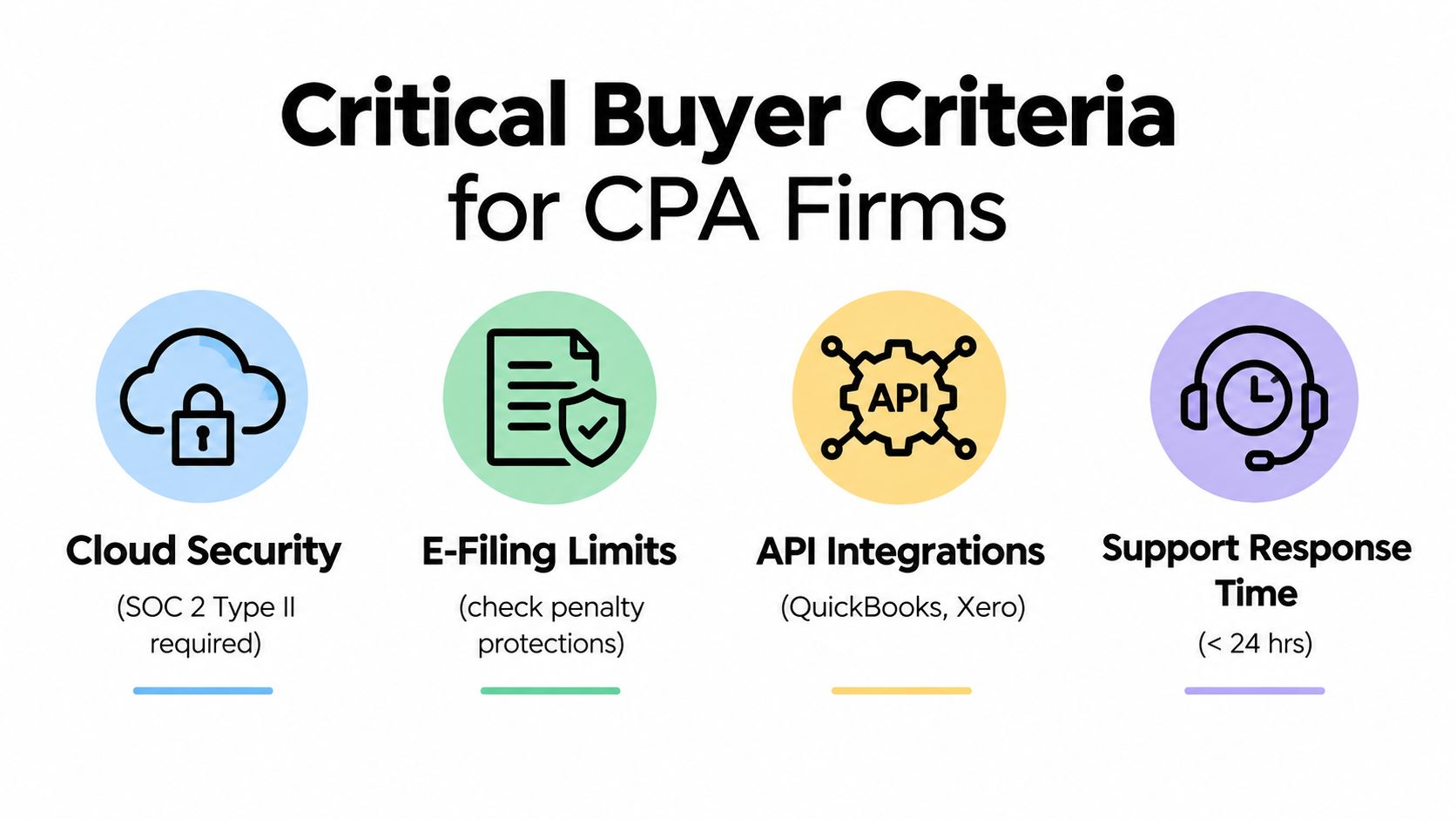
Software evaluation should begin with failure conditions, not demonstrations. For a CPA firm handling individual returns, the buyer needs evidence that the product can file the required forms, protect sensitive information, exchange data accurately, and support the team when the workflow is under pressure.
Start with filing readiness
For IRS e-filing, approval is a technical gate. The IRS explanation of tax preparation software approval describes Modernized e-File Assurance Testing, where vendors create XML test returns from IRS scenarios, transmit them, and verify calculations, formatting, and transmission or reception.
Ask the vendor which forms and schedules are covered, how release updates are tested, and how the firm will know when a workflow changes. A product that prepares a return in a demonstration but lacks dependable testing for the firm's actual forms isn't sufficient.
Test the weak links
The 2023 Journal of Accountancy survey found differences in overall user ratings. Drake Tax received 4.5 out of 5, Lacerte 4.4, and both ProSeries and CCH ProSystem fx 4.3, while the seven-product average was 4.0. Drake Tax also scored 4.8 for tax-season update handling and 4.8 for ease of e-filing, as reported in the survey material available through the IRS.
The same survey identified accounting and other software integration, along with data import, as weaker categories across vendors. That should change the demonstration script. Don't spend the entire session watching a clean return get prepared. Import messy documents, test unusual field mappings, inspect rejected data, and follow an exception through final approval.
Ask operational questions
- Security: Request current control documentation, access policies, encryption details, retention rules, and the process for removing former users.
- Support: Ask who responds during filing season, how escalation works, and whether training is formal, searchable, and role-specific.
- Evidence: Confirm whether the system preserves original documents, annotations, reviewer comments, timestamps, and exportable approval history.
- Integration: Verify whether the product connects to the firm's actual preparation, portal, storage, and accounting environment instead of a generic sample stack.
Use the embedded walkthrough as a prompt for questions, not as a substitute for testing.
The AI Review Gap and Audit Trail Necessity
AI can accelerate extraction and comparison, but it doesn't remove professional responsibility. In tax work, generating a plausible value is less important than showing where that value came from, whether a human checked it, and what happened when the evidence and draft disagreed.
Recent reporting from Thomson Reuters on tax software purchasing and AI priorities says 57% of tax, audit, and accounting firms rank AI as their top technology investment priority. The same reporting says 44% automate up to one-quarter of tax workflows, 27% automate up to half, and 41% of professionals still lack AI tools built for professional work on verified, authoritative content.
Review by exception is the useful application
The practical AI use case isn't asking a system to replace the reviewer. It's asking the system to perform repetitive comparisons consistently, then send a human the exceptions that require judgment.
A suitable workflow can ingest W-2s, 1099s, brokerage statements, and related source documents. It validates extracted data, compares the workpaper with the drafted 1040, and separates genuine mismatches from items that agree. The reviewer can then investigate a missing amount, an inconsistent taxpayer identifier, an unusual basis value, or a document that appears not to have reached the return.
That approach preserves human judgment where it matters. It also reduces the cognitive cost of scanning every line when most lines are correct.
Traceability is part of the control
AI systems can misclassify documents or produce unsupported outputs. A firm therefore needs more than a discrepancy list. It needs a source-linked binder that preserves original pages, connects findings to evidence, records annotations, and shows the identity and timing of each review action.
The audit trail requirements discussion reflects this operational need. A clean trail supports partner sign-off, internal quality review, staff handoffs, and responses to later questions. It also gives the firm a way to examine how an exception was resolved instead of relying on memory or scattered email.
Review standard: Automation may decide what deserves attention. A qualified professional still decides what the evidence means and records that decision.
The difference between automation and defensible automation is the audit trail. Without it, AI can make a workflow faster while making accountability harder to prove.
Strategic Recommendations by Firm Profile
A solo preparer, a regional practice, and a large tax operation shouldn't buy the same stack. Their constraints differ, especially around budget, training capacity, document volume, and tolerance for migration risk.

Solo practitioners need low friction
A solo firm usually benefits from a dependable core engine, a secure client portal, and a review process that doesn't require a separate operations team. The priority is reducing repeated checking without creating another administrative console.
A focused validation layer can help the preparer compare source documents with the draft, investigate exceptions, and produce a documented binder. The product should be easy to learn, export cleanly, and fit around the existing preparation workflow. A broad platform migration may cost more attention than it saves.
Mid-sized firms should formalize handoffs
Mid-sized firms often feel the greatest pain at the boundary between preparers and reviewers. Work gets reassigned, documents arrive at different times, and partners need a consistent view of unresolved issues. Here, role-based workflows matter as much as extraction accuracy.
Assign preparer, reviewer, and partner responsibilities explicitly. Require every exception to carry a resolution, supporting evidence, and status. WP TieOut is one option in this category. It ingests source documents for 1040 work, validates extracted data, compares it with the drafted return, surfaces discrepancies, and compiles a source-linked bookmarked PDF binder with a sign-off trail.
Larger operations should resist a forced rip-and-replace
Large firms need governance, permissions, integration controls, and reporting across teams. They may have more resources for migration, but they also have more dependencies and more varied workflows. A specialized tool should pass security review, support controlled pilots, and provide exportable records that fit the firm's quality-management process.
The operational case for layering is strong. A 2026 expert guide to tax software selection reports that nearly 62% of respondents identified price as their dominant complaint, more than 71% of firms still ran software from a local hard drive or network, nearly 60% received no formal training from their provider, and 75% needed technical support during filing season.
Those conditions make a controlled review add-on more realistic than a full overhaul for many firms. Preserve the source repository, limit retraining, and target the review stage where staff burden and risk meet.
Implementing New Tools Without Disrupting Season
Implementation should start with a contained pilot, not a firm-wide announcement. Select a small batch of complex 1040 returns that represent the firm's real workload, including varied source documents, partnership or investment information, and known review challenges.
Run the existing process and the new validation workflow in parallel. Compare the exceptions each process identifies, the time required to resolve them, the completeness of the binder, and the clarity of the final sign-off. Don't measure success by extraction speed alone. Measure whether reviewers can reach a confident conclusion with less searching and fewer unnecessary touches.
Assign ownership before launch
Define the handoff clearly:
- Preparers upload or organize source documents and complete the initial draft.
- Reviewers examine validated comparisons, resolve exceptions, and document conclusions.
- Partners review open risk items, approve the return, and confirm the final record.
Use an interactive demonstration to test the complete path from intake through approval. Ask the vendor to show an exception, an override, a missing document, a corrected value, and the final export rather than presenting only a clean successful workflow.
Train staff on exception judgment, not just button locations. Keep the pilot narrow until the team can explain which findings require escalation and where the audit-ready record lives.
WP TieOut offers an AI-powered 1040 review workflow that compares validated source documents with drafted returns, surfaces discrepancies, and creates a source-linked PDF binder with sign-off history. Visit WP TieOut to review the workflow and use the interactive demo to assess whether a focused validation layer fits your firm's existing tax software.