

If your firm has ever had to piece together a return review from email threads, sticky notes, and a handful of versioned PDFs, you already know where the pressure point is. The work got done, but the evidence got scattered. When a reviewer, regulator, or client asks who changed what, when it changed, and why it changed, the absence of a clean chronology becomes the problem, not the tax work itself.
That's why audit trail requirements matter so much in tax practice. They aren't just a control for large regulated systems, they're the difference between a review you can defend and a review you have to reconstruct under stress. For CPA firms and preparers, the practical challenge is simple to state and hard to execute, capture the right evidence without drowning staff in noise, and preserve it in a form that still makes sense months later.
Table of Contents
- The Hidden Risk of Missing Audit Trails in Tax Practice
- Understanding What Audit Trail Requirements Mean for Tax Firms
- Regulatory Sources Shaping Audit Trail Requirements
- Required Elements of a Compliant Audit Trail
- Common Pitfalls That Undermine Audit Trail Compliance
- A Practical Compliance Checklist for Your Firm
- How Workflow Tools Strengthen Audit Trail Compliance
The Hidden Risk of Missing Audit Trails in Tax Practice
A tax manager can usually rebuild the final answer on a return. What's much harder is proving the path that led there. A draft changes in the morning, a reviewer adds notes after lunch, and a partner signs off the next day, but if the firm can't show a clear sequence of events, the chronology becomes guesswork.
That's the hidden risk. In practice, missing audit trail evidence doesn't always look like a dramatic failure. It looks like a missing timestamp, an overwritten file, or a return note that tells you what changed but not who changed it.
Practical rule: If a reviewer can't reconstruct the decision from the record alone, the trail isn't strong enough.
For a tax firm, this risk shows up in everyday work. A preparer updates depreciation input based on a new source document. A reviewer asks for the origin of a brokerage adjustment. A partner wants to know whether a client-side edit was accepted or rejected. If the only record is the final PDF, the firm has no defensible chronology, only an outcome.
That's why audit trail discipline has shifted from a back-office preference to a core control. In regulated settings, the U.S. FDA's 21 CFR Part 11 made the logic plain, electronic records need secure, computer-generated, time-stamped trails that show entries and actions that create, modify, or delete records, and those trails need to be retained and available in human-readable form for inspection, with the minimum record elements supporting a complete chronology of who did what and when, and what changed. Even though tax firms aren't FDA-regulated, the underlying compliance logic is the same, if you can't show the history, you'll spend time defending the gap instead of the work.
Understanding What Audit Trail Requirements Mean for Tax Firms
An audit trail is more than a log of activity. In a tax workflow, it's a structured record that shows how a return moved from source documents to draft, from draft to review, and from review to sign-off. A proper trail answers the questions examiners and reviewers always ask, who acted, what changed, when it changed, and why the change was allowed.
Audit trail basics
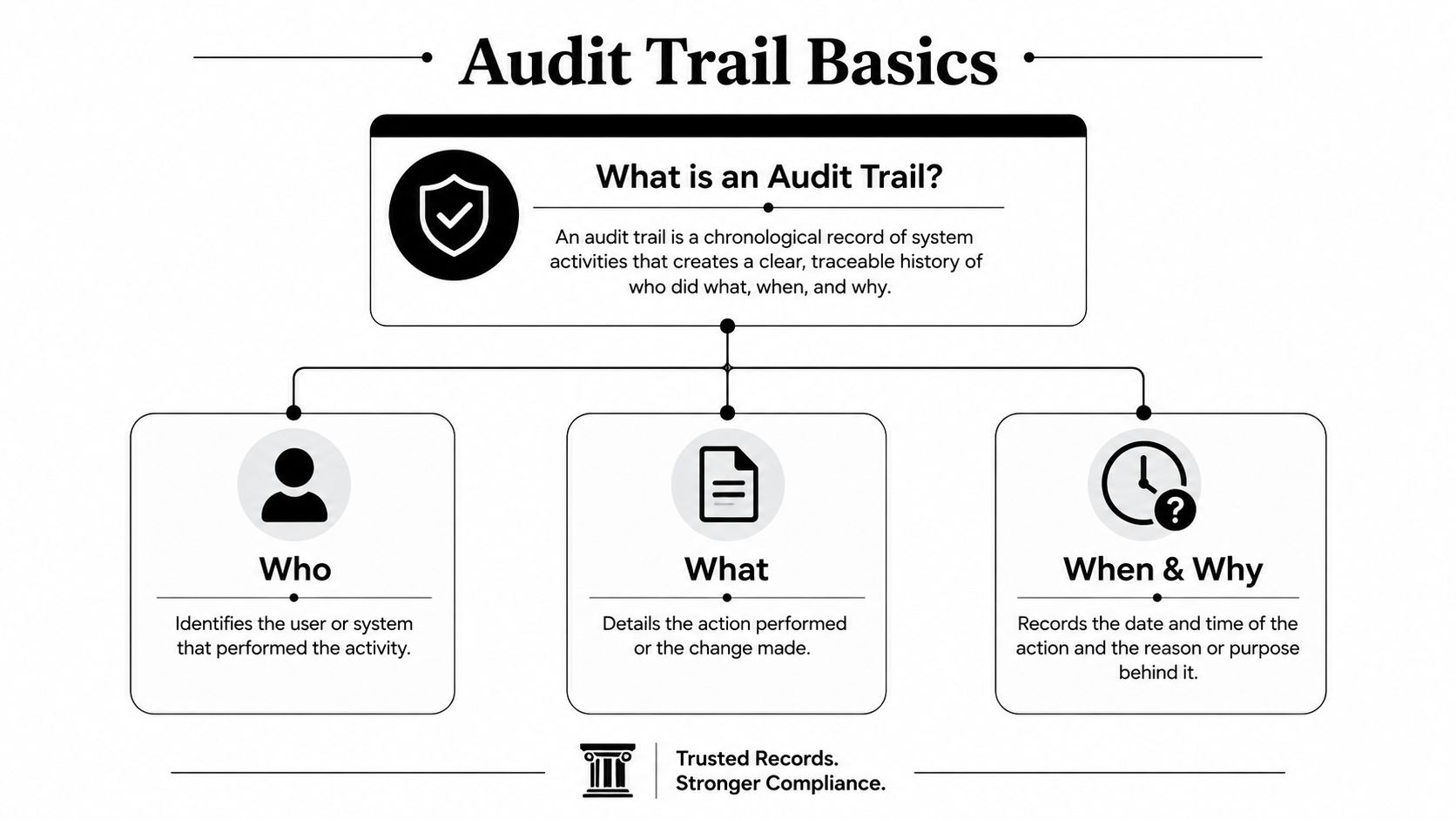
The practical distinction is important. An activity log says something happened. An audit trail ties that event to a specific user, a specific record, and a specific point in the workflow. That difference matters in tax practice because the evidence isn't just operational, it's also defensible.
A good mental model is a flight recorder. It doesn't stop the turbulence, but it lets you reconstruct the sequence accurately after the fact. In a tax office, that means keeping track of the source document that supported a change, the reviewer who approved it, and the exact state of the record before and after the adjustment. Without that structure, the firm relies on memory and email archaeology, which isn't a serious control.
The same logic applies to modern review workflows. A preparer may make a change inside tax software, but the firm still needs a traceable footprint that links the change to the person, the date, the action, and the underlying evidence. If the workflow tool only shows that a file was opened, it's not enough. If it shows the edit, the reviewer's action, and the preserved source context, it starts to look like a real audit trail.
Audit trails are evidentiary records, not convenience features. If they can't support reconstruction, they don't support compliance.
That's also why tax firms shouldn't treat an audit trail as a separate end-of-year cleanup exercise. It has to live inside the day-to-day workflow, where changes happen. When review, approval, and preservation are built into the process, the firm gets evidence as a byproduct of work instead of a second round of documentation.
Regulatory Sources Shaping Audit Trail Requirements
Tax firms do not work from a single global audit trail rule, but they do operate within a set of regulatory benchmarks that shape what good evidence should look like. The clearest foundational reference is 21 CFR Part 11. It requires secure, computer-generated, time-stamped audit trails for entries and actions that create, modify, or delete records, and it expects those trails to be retained for as long as the underlying records and made available for inspection in a human-readable format. The minimum captured data includes the user ID, full date and time, action type, and the original and new values for changed records. The FDA-oriented audit trail summary is useful because it shows how regulators think about traceability, not just logging.
India's accounting-software rule gives a second, very practical benchmark. Under the Companies (Accounts) Rules, 2014, companies using accounting software must maintain books with audit-trail capability, and auditors must report on whether that trail was enabled and operated throughout the year under Rule 11(g). KPMG notes that FY 2023–24 was the first year of applicability, FY 2024–25 added expanded auditor commentary on prior-year preservation, and companies must preserve audit-trail records without alteration for at least 8 years from 1 April 2023 onward. KPMG's audit trail reporting overview shows that audit trails are now an assurance obligation, not just a software feature.
For tax firms, the practical lesson is straightforward. External rules do not map neatly onto return preparation, yet regulators increasingly expect software to preserve evidence of process integrity, not just finished files. That expectation applies whether the system is accounting software, electronic records, or another controlled workflow.
A third point matters from a design perspective. Modern guidance treats audit trails as structured evidence, not debugging logs. The audit trail design discussion points to a detail many firms miss, sensitive data should be redacted at the field level when needed, because removing whole payloads can erase evidentiary value. For tax practices handling confidential client data, that distinction matters. A workflow can protect privacy and still preserve the review record needed for compliance.
A useful internal reference for documenting related workflows is audit documentation requirements.
Required Elements of a Compliant Audit Trail
A compliant trail needs structure, not just volume. If you're evaluating a tax workflow, the record should let someone reconstruct the return review without guessing at the sequence or the ownership of changes.
The core data points
The minimum record should include user ID, full date and time, action type, and the original and new values for any changed record. Those elements tell you who acted, when they acted, and what they changed. In a return review, that might mean the preparer who updated an interest amount, the timestamp of the update, and the revised value compared with the source document.
Here's a practical way to think about it.
| Element | Purpose | Example in Tax Context |
|---|---|---|
| User ID | Identifies who performed the action | The preparer who changed a client's Schedule B input |
| Full date and time | Establishes sequence and timing | The reviewer's approval timestamp on a draft return |
| Action type | Shows what happened | Edit, approve, reject, comment, upload |
| Original and new values | Preserves the change history | The prior brokerage total and the corrected amount |
| Source reference | Links the change to evidence | A bookmarked statement page tied to the adjustment |
A useful internal reference for documenting related workflows is audit documentation requirements. In practice, firms often need their audit trail to line up with the workpaper narrative, not sit off to the side as a separate system.
What extra context is worth capturing
Some systems also capture role and privilege context, request IDs, and source document references. That can be valuable when a reviewer needs to understand not just the edit, but whether the person making it had the authority to do so. In tax practice, that's especially helpful when a preparer corrects a return after a client sends updated source documents.
The key is restraint. More data isn't automatically better if it buries the evidence you need. The audit trail should be clean enough to review and complete enough to defend. That balance is what keeps it useful in an examination or a quality control review.
Common Pitfalls That Undermine Audit Trail Compliance
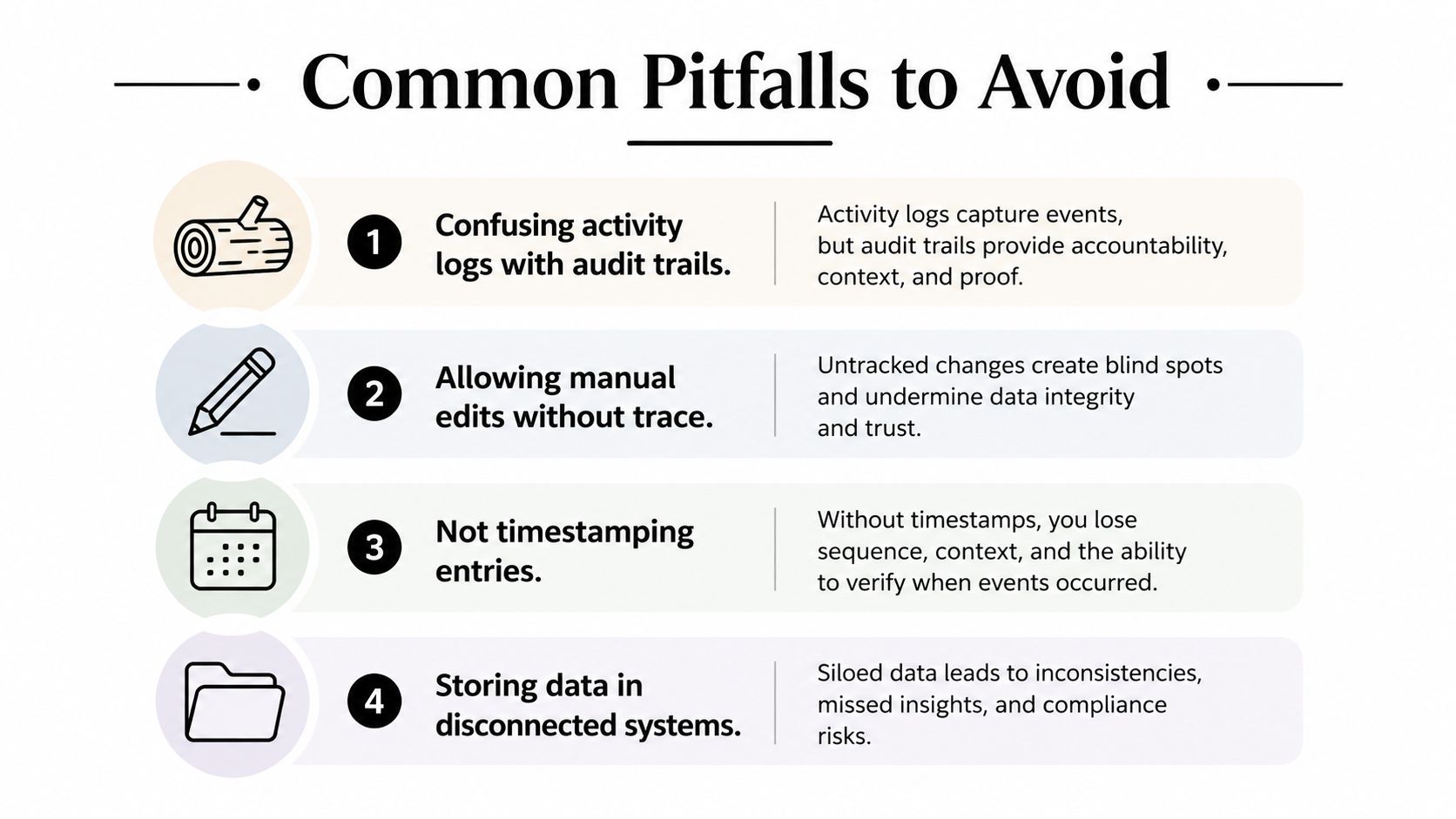
The easiest mistake is treating any system log as an audit trail. A log may show that a file was opened, a return was saved, or a document was uploaded, but that still does not prove the lineage of the change. In tax practice, the real test is whether the record can show the path from source document to final sign-off, in a way a reviewer can follow without guessing.
Another common failure is allowing retroactive edits without preserving the original state. That breaks the chain of evidence. If a preparer can overwrite an earlier adjustment and the firm can no longer see the prior value, the trail has lost one of its main functions, which is to preserve the history of the decision. That becomes a real problem in review, because the reviewer cannot tell whether the correction was a clean update, a rollback, or a later attempt to reconcile mismatched figures.
Weak retention creates a similar exposure. If audit evidence disappears before the workpapers and related records should be closed out, the firm has a gap that cannot be rebuilt later. The KPMG summary is a reminder that retention is part of the control itself, not just a filing issue.
A trail that cannot be reviewed later is only a temporary log.
Over-collecting is the subtler problem. Some firms capture so much unstructured activity that a reviewer cannot separate meaningful events from noise. That creates a different compliance burden, because the evidence exists, but nobody can work through it efficiently. Modern design guidance on audit-ready trails points firms toward structured records instead of raw debug output, which is a better fit for tax review than a flood of technical detail.
The practical fix is selective logging with enough context to defend the return and enough discipline to preserve chain of custody. In a tax office, that usually means less emphasis on volume and more emphasis on whether the workflow can show authoritative change history, reviewer actions, and source linkage. A tool such as tax workpaper automation helps when it keeps those records tied to the workpaper flow instead of scattering them across separate systems.
A Practical Compliance Checklist for Your Firm
Start with the workflow you already use. Don't redesign the whole practice before you know where the evidence is breaking. In most firms, the first step is identifying where preparers, reviewers, and partners create or change records, then checking whether those events leave behind a usable trail.
Five checks that matter most
- Verify the data fields: Confirm the system captures the user, timestamp, action type, and before-and-after values for material changes. If any of those are missing, the trail is too thin for review.
- Match retention to the record: Make sure your retention policy keeps audit evidence for as long as the underlying workpapers and any applicable obligations require. Short retention windows create avoidable exposure.
- Control who can change what: Role-based access should prevent unauthorized edits and limit who can override a review step.
- Document how evidence is preserved: Your firm should be able to explain how audit records are exported, stored, and protected from tampering.
- Test the trail with a sample return: Run a mock review and see whether someone outside the original prep chain can reconstruct the changes from the records alone.
A practical way to operationalize this is to connect the review workflow to your documentation standards. Tax workpaper automation is relevant here because the better the workpaper flow, the less likely your firm is to rely on disconnected evidence at the end of the engagement.
Practical rule: If a mock exam takes detective work to reconstruct, your process still depends too much on tribal knowledge.
The success indicator is straightforward. A reviewer should be able to open a sample file and see a complete, ordered history of key decisions without asking the preparer to explain the missing pieces. If that isn't true, the firm has a process problem, not just a documentation problem.
How Workflow Tools Strengthen Audit Trail Compliance
Manual systems break down fast in tax season. Spreadsheets, emailed PDFs, and scattered file shares can all be part of the process, but none of them are naturally designed to create a defensible trail. That's where workflow tools matter, they make audit evidence a byproduct of the work instead of a side task.

A well-built review platform captures the handoff between preparer, reviewer, and partner as the work moves. It records who checked what and when, preserves the source-linked evidence, and keeps the audit history exportable for inspection. That matters because the trail is only useful if it stays attached to the work, not hidden in a separate archive.
WP TieOut is one example of that model in a tax context. It ingests source documents, validates extracted data, compares the workpaper against the drafted return, and compiles a source-linked PDF binder with stamps, annotations, and a sign-off trail. For a firm trying to replace line-by-line eyeballing with review by exception, that kind of structure closes the gap between theory and day-to-day practice. The platform overview is relevant for firms evaluating how to make the audit trail part of the review system itself.
Security still matters just as much as workflow. If the audit history can be altered, deleted, or scattered across systems, the control weakens. Encryption, strict access controls, and a clean approval chain are part of the same design decision, because a protected trail is still just as important as a complete one.
The strongest setups don't ask staff to remember compliance after the fact. They build it into intake, validation, review, and approval so the firm can show the chronology without recreating it. That's the practical standard tax firms should be aiming for.
If your firm wants audit trails that hold up in review, WP TieOut is built to keep source documents, reviewer actions, and sign-off history tied to the same workflow. Visit WP TieOut to see how its tax review process can help your team produce cleaner evidence, tighter handoffs, and an audit-ready record without adding another manual documentation layer.